IT asset inventory management
- What the devices would cost to replace today
- $101,100
- Computed on this page from the inputs below
- Devices on the inventory
- 69
- Computed on this page from the inputs below
- Software seats a year
- $19,200
- Computed on this page from the inputs below
- Software seats a month
- $1,600
- Computed on this page from the inputs below
Every figure on a worksheet comes from the inputs you enter and the method stated beside it: your cost, your salvage value, your useful life, your device counts and your scan results. Where a guide names a published rule, the document is cited with a path to the clause, and the figure is licensed in this repository's claims ledger before it appears on a page.
Email me this result
We will send you these figures and a link back to them. One email, nothing else unless you tick the box.
The figures start from a worked example ($101,100), one line from a typical small-company register. Change any input and the line recomputes as you type.
Download the IT asset inventory management worked example (CSV)
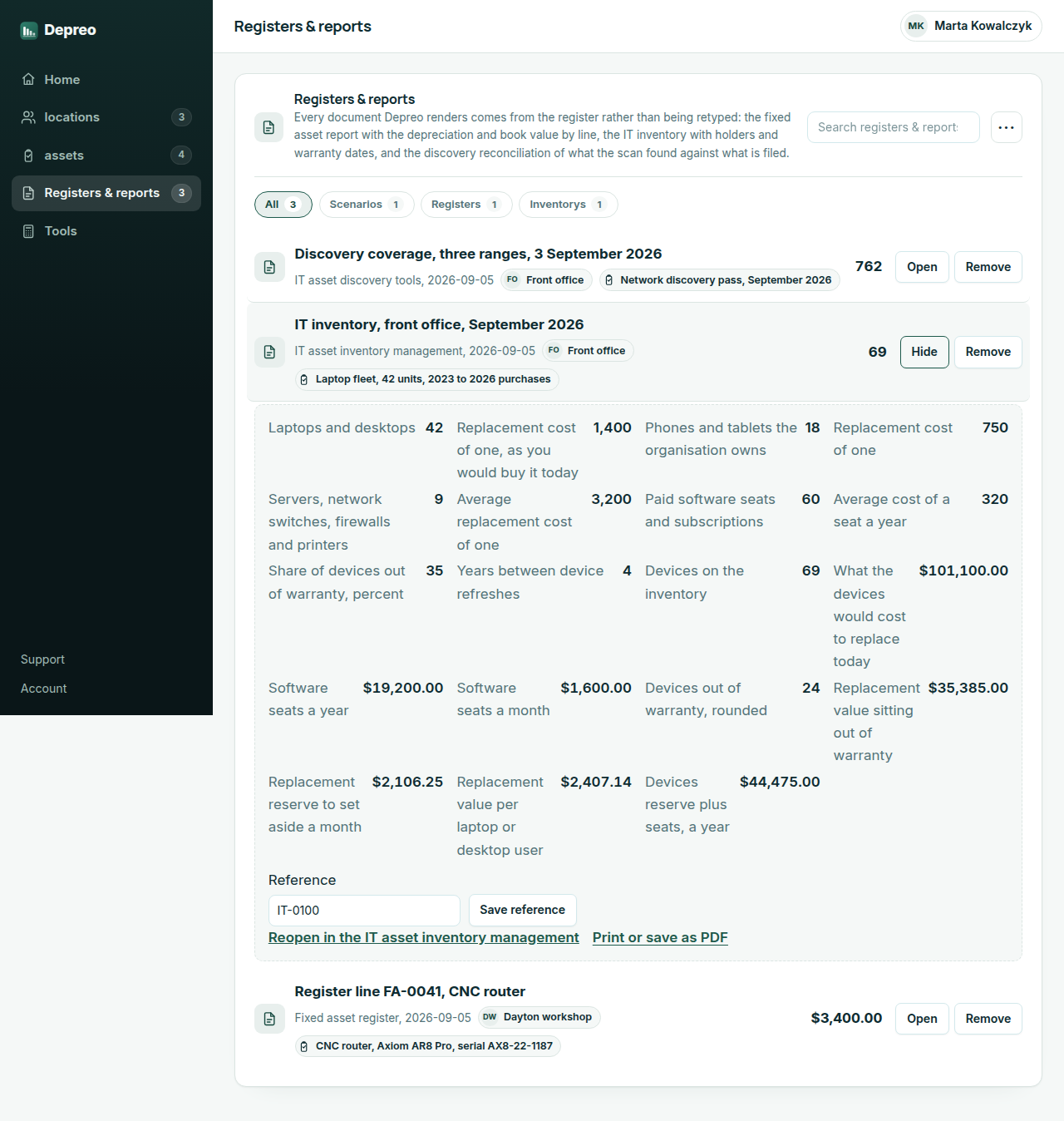
IT asset inventory management starts with a count and a cost. This worksheet takes the devices the organization owns in three lines, laptops and desktops, phones and tablets, servers and network gear, with the replacement cost of one of each as you would buy it today, plus the paid software seats and what a seat costs a year. It returns what the estate would cost to replace, the license spend a year and a month, how many devices and how much value sit out of warranty at the share you enter, and the reserve to set aside each month to refresh the devices on the cycle you choose. Every figure is arithmetic on your own counts and costs; nothing is looked up.
IT asset inventory management: what register keepers ask
Why does the worksheet ask for a replacement cost rather than what the device cost when it was bought? Because the inventory is kept to answer what it would take to replace the estate, for the insurer and for the budget. The original cost belongs on the fixed asset register line, where the depreciation runs from it; the replacement cost is what the reserve figure and the out-of-warranty value are built on.
What should I count as a paid seat? Every seat or subscription the organization pays for, counted by seat rather than by product: forty people on a mail suite is forty seats, and a security tool licensed per device is one seat per device. The figure the worksheet returns is the annual license spend, which is usually larger than anyone in a small organization expects.
How do I find the share of devices out of warranty? From the register, if there is one with purchase dates on it; from the vendor's support portal by serial number if there is not. If you have to guess, that is the worksheet telling you what the register is for, and the value it returns at your guess is the amount riding on the guess.
Depreo Pro
Keeping the register instead of the spreadsheet
Upgrading turns a worked line into a register. The asset you priced on the worksheet is filed against your organization with its holder and location; the depreciation runs each period without anyone reopening a spreadsheet; a disposal is recorded with its date and proceeds; and the fixed asset report at year end is a print, not a project.
- Download the register as a file to send to your accountant or insurer
- Your register and reports without our name on them
- Save a line and reopen it next period with the depreciation moved on
- Your organization name and logo on every printed register and report
- Take every register, report and inventory out at once
- Send a holder the list of what is issued to them from inside the register
- Not sold on this hub: a register keeper does not invoice from it
- Not sold on this hub: the fixed asset report exports to your accountant instead
$49per month, whole team
Start Depreo Pro Free for 14 days. No card needed. PricingThe first 14 days are free and no card is asked for. Add a card during the trial and the first charge is on the day it ends; do not, and your workspace becomes read-only with nothing deleted. Depreo Pro is $49 per month for your whole organization, billed monthly, and renews each month at that price until you cancel. The price and the renewal terms are shown again before checkout.